
OCTOBER 2026 • SMART HEATING GUIDE
Heat Pumps and Home Assistant UK: Integration Guide
Can you connect your heat pump to Home Assistant? Explore manufacturer compatibility, energy monitoring, smart automations and the important limits of third-party control.
explained
advice
first

QUICK ANSWER
Can You Connect a Heat Pump to Home Assistant?
Yes — many heat pumps can be connected through Home Assistant’s built-in integrations, manufacturer cloud services or local interfaces such as Modbus. But compatibility is model-specific, and data available for monitoring is not the same as permission to change operating settings.
Manufacturer cloud
Often the easiest starting point. Convenient, but remote access and automations can depend on cloud availability.
Local integration
Can reduce cloud dependency when a compatible controller and documented local protocol are available.
Energy monitoring
Useful for exploring electricity usage, temperatures and running patterns — if the relevant sensors are exposed.
Careful automation
Use alerts and gentle adjustments first. Avoid frequent heating setpoint changes that could work against weather compensation.
Our recommendation
Begin with read-only monitoring. Confirm the heat pump remains safe and comfortable using its original controller, then introduce small changes only when supported by the system designer or manufacturer. Home Assistant is a useful layer above the heating system, not a substitute for correct system design.
Which Heat Pumps Work With Home Assistant?
The integration names below are documented by the Home Assistant project. An integration existing does not guarantee support for every model, controller or function.
| System | Documented route | Key limitation |
|---|---|---|
| Mitsubishi Electric MELCloud | Built-in MELCloud integration | Supports compatible air-to-water and air-to-air units on legacy MELCloud; cloud connection |
| Mitsubishi Electric MELCloud Home | Built-in MELCloud Home integration | Separate service and account from legacy MELCloud; check current device support |
| NIBE myUplink | Built-in myUplink cloud integration | Some controls require a myUplink subscription |
| NIBE supported models | Built-in Nibe Heat Pump integration | Use the exact supported device list and configuration guidance |
| Daikin air conditioning | Built-in Daikin AC integration | Primarily documented for supported air-to-air systems; not universal Daikin Altherma support |
| Other heat pumps | Modbus or supported third-party projects | Requires model-specific interfaces, register maps and suitable technical skills |
Cloud, Local Network or Modbus: Which Connection Is Best?
Cloud-based API
Home Assistant communicates with an online service associated with the manufacturer’s app. Setup can be straightforward, but credentials, network availability and provider API changes matter.
Local device or gateway
Home Assistant connects across your home network or a supported wired interface. A compatible gateway is required, and not every device offers a documented local protocol.
Modbus
Can expose sensor readings and control registers on specific hardware. Incorrect writes could cause faults or inefficient operation; use manufacturer register documentation and qualified advice.
Community integrations
May expand the number of supported devices, but maintenance, security and reliability differ. Check current development activity, permissions and model coverage.
For a broader explanation of manufacturer phone apps, see our Best Heat Pump Apps UK guide.
What Can Home Assistant Actually Show?
Entities vary widely between models. A monitoring dashboard may include outdoor temperature, cylinder temperature, target settings, operating state, fault information and electrical consumption — but only where the integration provides reliable values.
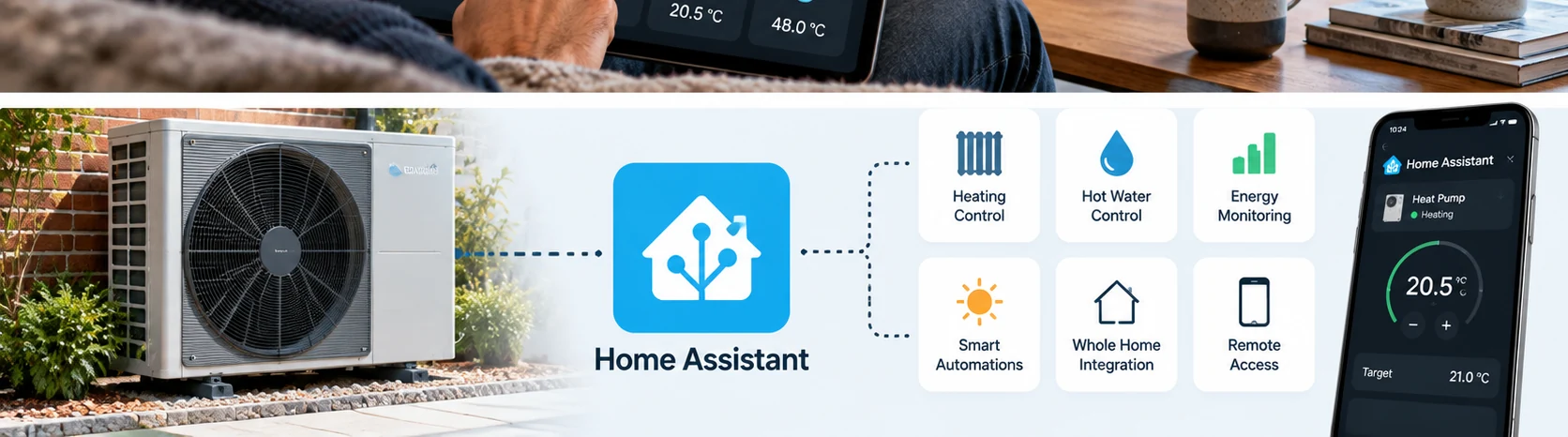
Illustrative image from the site’s existing media library; not an actual Home Assistant dashboard.
Useful measurements
System status, hot-water temperature, flow and return temperatures where available, operating hours and electricity consumption can help explain how your heating behaves.
Do not assume COP accuracy
Coefficient of performance needs suitable measurements of heat delivered and energy consumed over the same period. An estimated app number is not equivalent to certified metering.
How to Connect a Heat Pump to Home Assistant
- Identify the equipment. Record the outdoor unit, indoor unit, controller, Wi-Fi gateway and software version.
- Check official integration documentation. Look for your model and read the prerequisites, not just the manufacturer name.
- Set up Home Assistant. Use a supported Home Assistant installation and keep it updated.
- Add the integration. In Home Assistant, open Settings → Devices & services → Add integration and follow the relevant provider’s instructions.
- Inspect the available entities. Confirm which values are valid, read-only and safe to use.
- Build simple monitoring first. Try dashboard tiles and alerts before changing heat-pump operating targets.
- Test safely. Make changes one at a time, observe heating and hot-water operation, and retain the manufacturer controller.
Useful Home Assistant Automations for Heat Pump Owners
Low hot-water alert
Send a phone notification when a supported cylinder sensor reads below a chosen threshold. Make sure the underlying sensor reports accurately.
Energy and tariff dashboard
Compare consumption with tariff periods and household energy data. Monitoring does not require aggressive changes to the heating schedule.
Holiday monitoring
Monitor temperatures and equipment status while away. Use the manufacturer’s supported holiday mode rather than forcing arbitrary setpoints.
Solar and battery visibility
Put heat pump, solar PV and home battery data on one dashboard, recognising that not every manufacturer’s energy figures are independently metered.
Will Home Assistant Save Money?
Not automatically. Savings depend on design and use: property heat loss, flow temperature, radiator and underfloor heating capacity, heating controls, installation quality, weather and electricity tariffs. Poorly timed automations can increase costs or reduce comfort. See our heat pump running costs guide.
Home Assistant and Heat Pump FAQs
Does Home Assistant work with air source heat pumps?
Yes, with many models, but the method depends on the controller and connection. Some use an official cloud integration; others require compatible local hardware or a supported community integration.
Can Home Assistant control my heat pump without the internet?
Only if the particular integration communicates locally. Cloud integrations usually need internet access for updates and commands.
Does Home Assistant replace the manufacturer’s controller?
No. It should usually complement the manufacturer’s controls, not replace weather compensation, safety protections or the commissioned heating strategy.
Can Home Assistant calculate a heat pump’s COP?
Only when appropriate electrical input and delivered heat data are available and correctly measured. Dashboard estimates should not be presented as certified performance figures.
Do I need to pay for Home Assistant?
Home Assistant software is open source, but running hardware and optional services cost money. Some manufacturer cloud APIs or control functions may need subscriptions.
OUR VERDICT
Home Assistant Is Best as a Monitoring Layer First
For compatible systems, Home Assistant can be a valuable way to understand heating, hot water and energy use in one place. Start with documented integrations and safe monitoring. Only add active automation once you understand the consequences for weather compensation, heat-pump cycling and the manufacturer’s supported control strategy.
Related Heat Pump Guides